


📢 Image Upload URL / GET URL
 김기범
김기범
1. Image upload url 생성
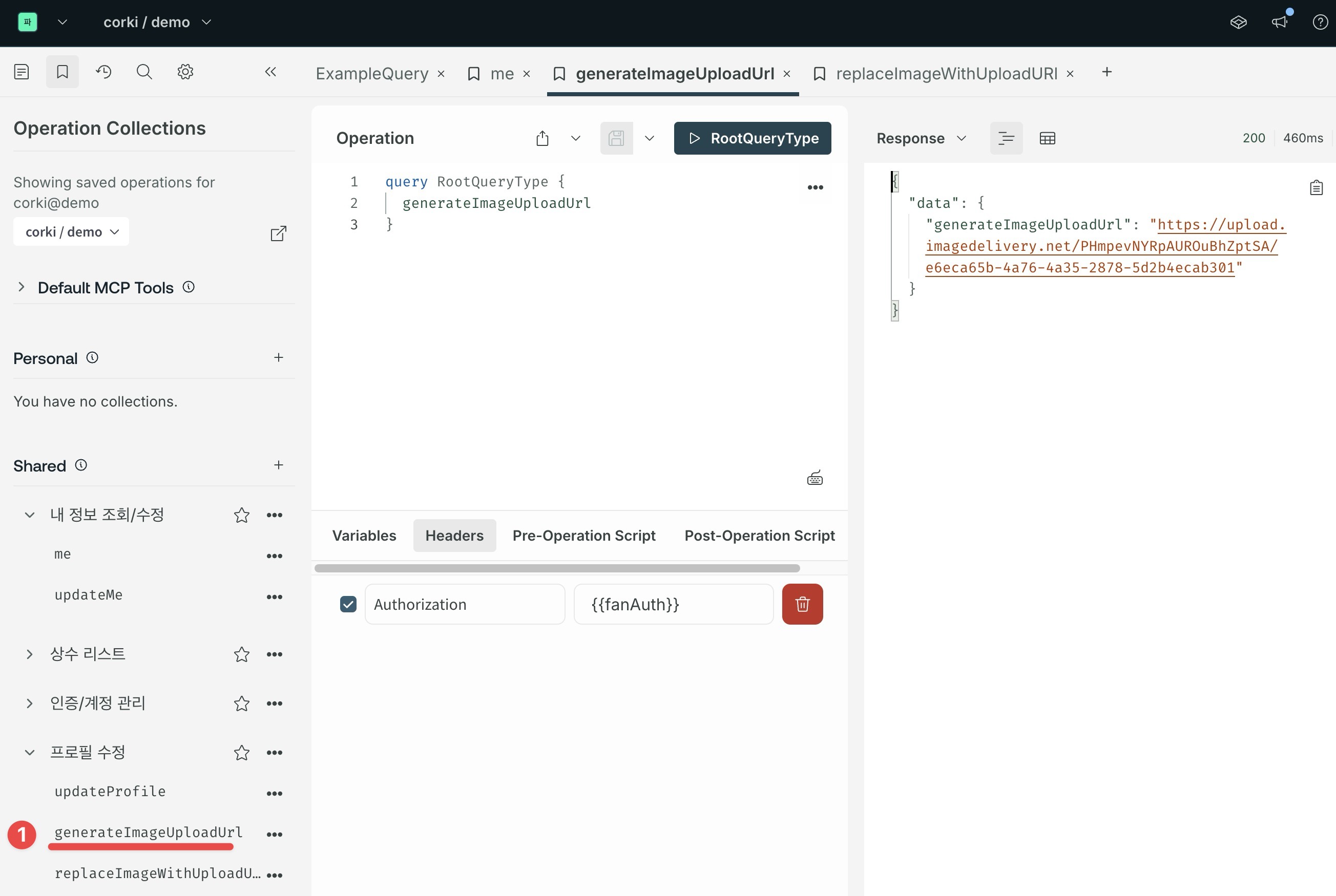
2. Upload url 에 사진 업로드
curl 을 예로 들면,
curl -X POST \
        -F file=@$HOME/Downloads/photo-1535713875002-d1d0cf377fde.jpeg \
        "https://upload.imagedelivery.net/PHmpevNYRpAUROuBhZptSA/60822fcb-57f1-4b7c-56b4-8ed604de7901"
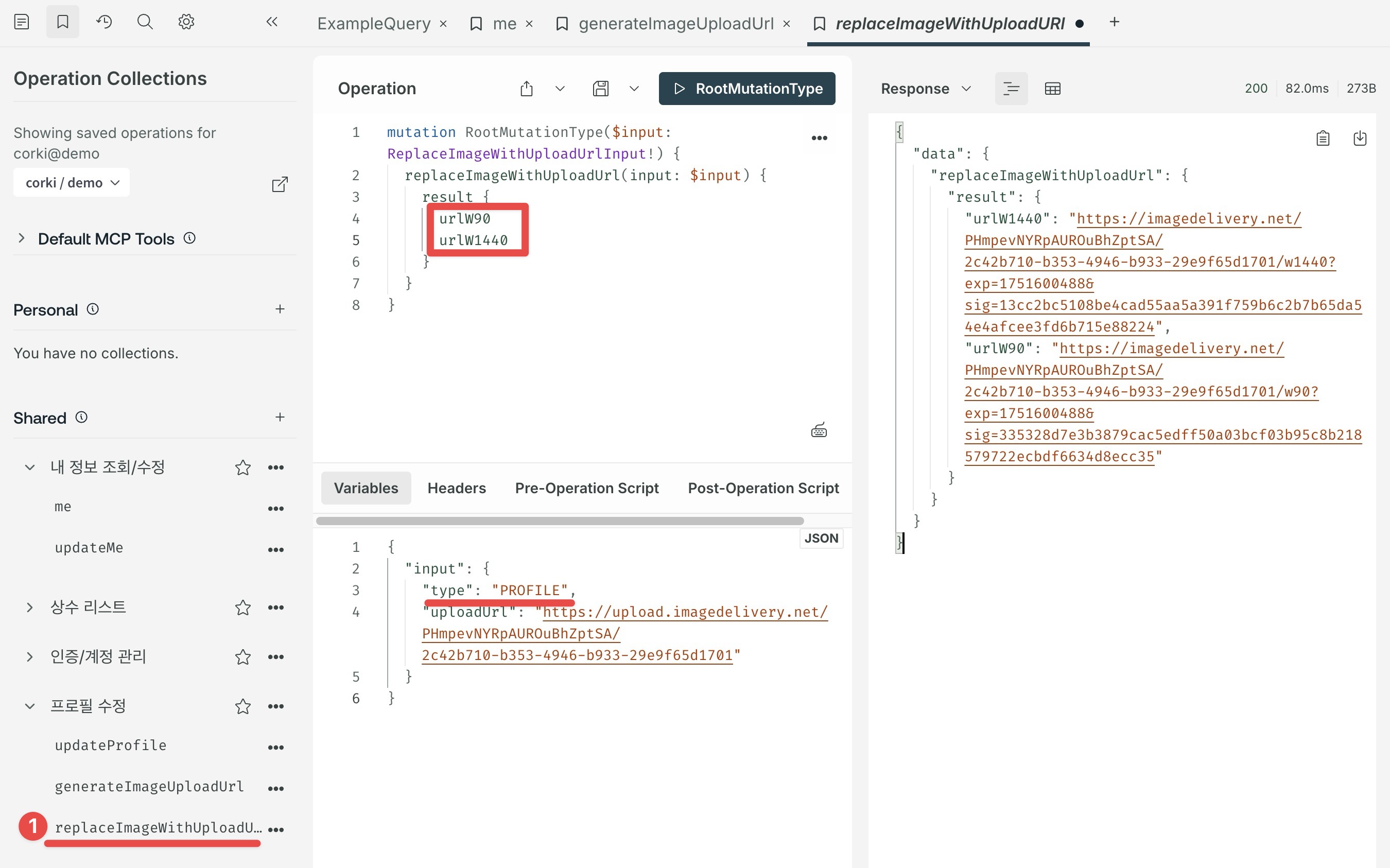
3. 해당 사진으로 프로필/커버를 교체하는 방법
type 에 profile 또는 cover 를 넣어주고, upload_url 을 다시 재전달 해줍니다.
4. 리사이징 종류
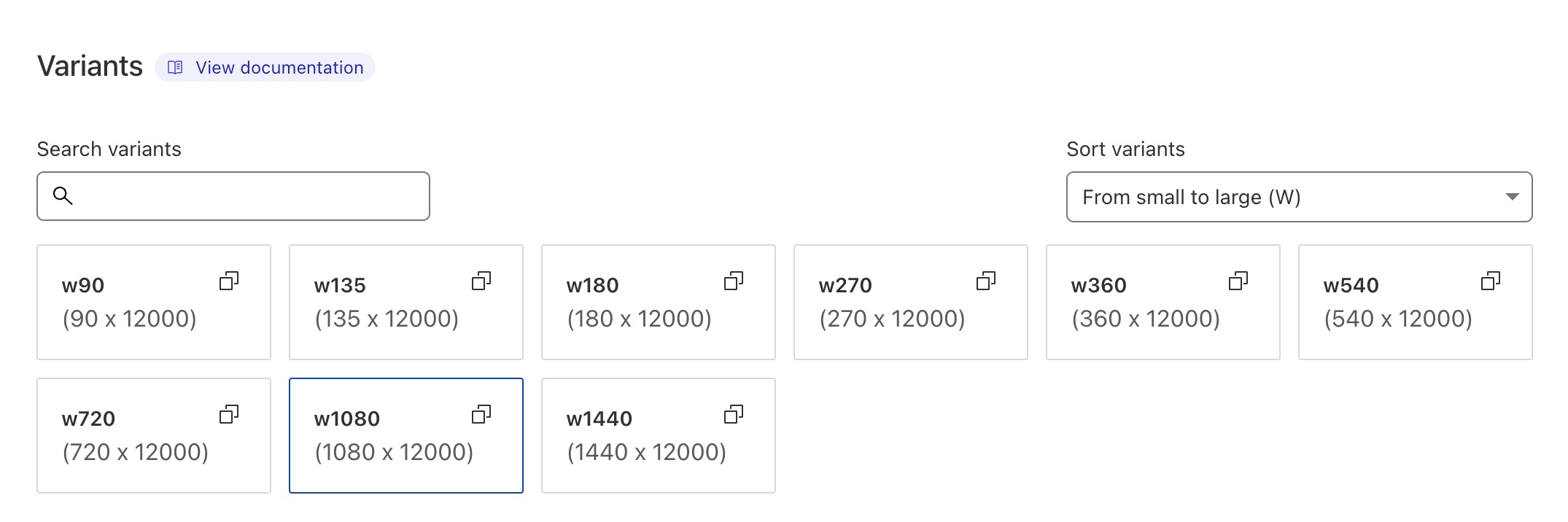
위 스샷의 네모를 보시면 urlW90, urlW1440 이 있는데, 아래와 같이 총 9가지가 있습니다.
(height 는 최대치가 12000 이라서 그렇게 해뒀습니다.)
(height 는 최대치가 12000 이라서 그렇게 해뒀습니다.)
5. User.profileImage, coverImage
user 에 두 필드가 추가 됐습니다.
👏
corki/tmp on main [!] ❯ curl -L -o sample "https://imagedelivery.net/PHmpevNYRpAUROuBhZptSA/cf784ee9-3831-48de-1c41-ec953f889500 /w90" % Total % Received % Xferd Average Speed Time Time Time Current Dload Upload Total Spent Left Speed 100 3562 100 3562 0 0 68580 0 --:--:-- --:--:-- --:--:-- 69843 corki/tmp on main [!] ❯ file sample sample: JPEG image data, JFIF standard 1.01, aspect ratio, density 1x1, segment length 16, baseline, precision 8, 90x135, components 3 corki/tmp on main [!] ❯ curl -L -H "Accept: image/webp" -o sample.webp "https://imagedelivery.net/PHmpevNYRpAUROuBhZptSA/cf784ee 9-3831-48de-1c41-ec953f889500/w90" % Total % Received % Xferd Average Speed Time Time Time Current Dload Upload Total Spent Left Speed 100 3878 100 3878 0 0 93380 0 --:--:-- --:--:-- --:--:-- 94585 corki/tmp on main [!] ❯ file sample.webp sample.webp: RIFF (little-endian) data, Web/P image, VP8 encoding, 90x135, Scaling: [none]x[none], YUV color, decoders should clamp반드시